
Health Check & Troubleshooting
Health Check identifies common problems, and helps you troubleshoot plugin and theme conflicts.
- Active installs
- 200,000+
- #209 of 1,000
- Downloads, all time
- 5.4M
- 5,391,537
- Downloads, 30 days
- 23.8K
- 7K in the last 7
- Rating
- 3.6 / 5
- 181 reviews
- Last updated
- 2 years ago
- Jul 25, 2024
- Version
- 1.7.1
- 27 releases
Upkeep and compatibility
| Last updated | July 25, 2024Not updated for over a year |
|---|---|
| Tested up to | WordPress 6.6.11Older than WordPress 7.1.4, the current release |
| Needs WordPress | 4.4 or newer |
| Needs PHP | 5.6 or newer |
| First published | June 9, 2018 |
| Support, last two months | 0 of 1 threads resolved (0%) |
Reviews
3.6 / 5 from 181 reviews
| 5 stars | 107 |
|---|---|
| 4 stars | 7 |
| 3 stars | 4 |
| 2 stars | 5 |
| 1 star | 58 |
Downloads, last 30 days
What the author says it does
This plugin will perform a number of checks on your WordPress installation to detect common configuration errors and known issues, and also allows plugins and themes to add their own checks.
The debug section, which allows you to gather information about your WordPress and server configuration that you may easily share with support representatives for themes, plugins or on the official WordPress.org support forums.
Troubleshooting allows you to have a clean WordPress session, where all plugins are disabled, and a default theme is used, but only for your user until you disable it or log out.
The Tools section allows you to check that WordPress files have not been tampered with, that emails can be sent, and if your plugins are compatible with any PHP version updates in the future.
For a more extensive example of how to efficiently use the Health Check plugin, check out the WordPress.org support team handbook page about this plugin.
Feedback is welcome both through the WordPress.org forums, the GitHub project page, or on Slack in either #forums or #core-site-health.
The opening of the plugin's own description. The full text, installation notes and changelog are on its WordPress.org page.
Questions the author answers
I am unable to access my site after enabling troubleshooting
If you should find your self stuck in Troubleshooting Mode for any reason, you can easily disable it by clearing your cookies.
Are you unfamiliar with how to clear your cookies? No worries, you may also close all your browser windows, or perform a computer restart and it will clear this specific cookie automatically.
The PHP compatibility says this plugin only work with PHP version X?
The plugin is made to be a support tool for as many users as possible, this means it needs code that is written for older sites as well.
Tools that check for PHP compatibility do not know how to separate this code from the real code, so it will give a false positive response.
At this time, the plugin has been tested with every version of PHP from 5.2 through 7.3, and works with all of these.
Where can I report security bugs?
The Site Health team and WordPress community take security bugs seriously. We appreciate your efforts to responsibly disclose your findings, and will make every effort to acknowledge your contributions.
To report a security issue, please visit the WordPress HackerOne program.
Latest changelog entry
- Security: Prevent a potential information disclosure from the screenshot beta feature, reported independently by Jarko Piironen.
- Security hardening: Make each screenshot delete nonce unique to that image.
- Security hardening: Add a capability check alongside the nonce validation when toggling beta features on or off.
- General: Updated the Tested up to tag.
- General: Added notice about future changes to the Troubleshooting and Tools sections.
- Added Twenty Twenty Four as a known and valid default theme.
Screenshots

The health check screen after the automated tests have gone over the system. 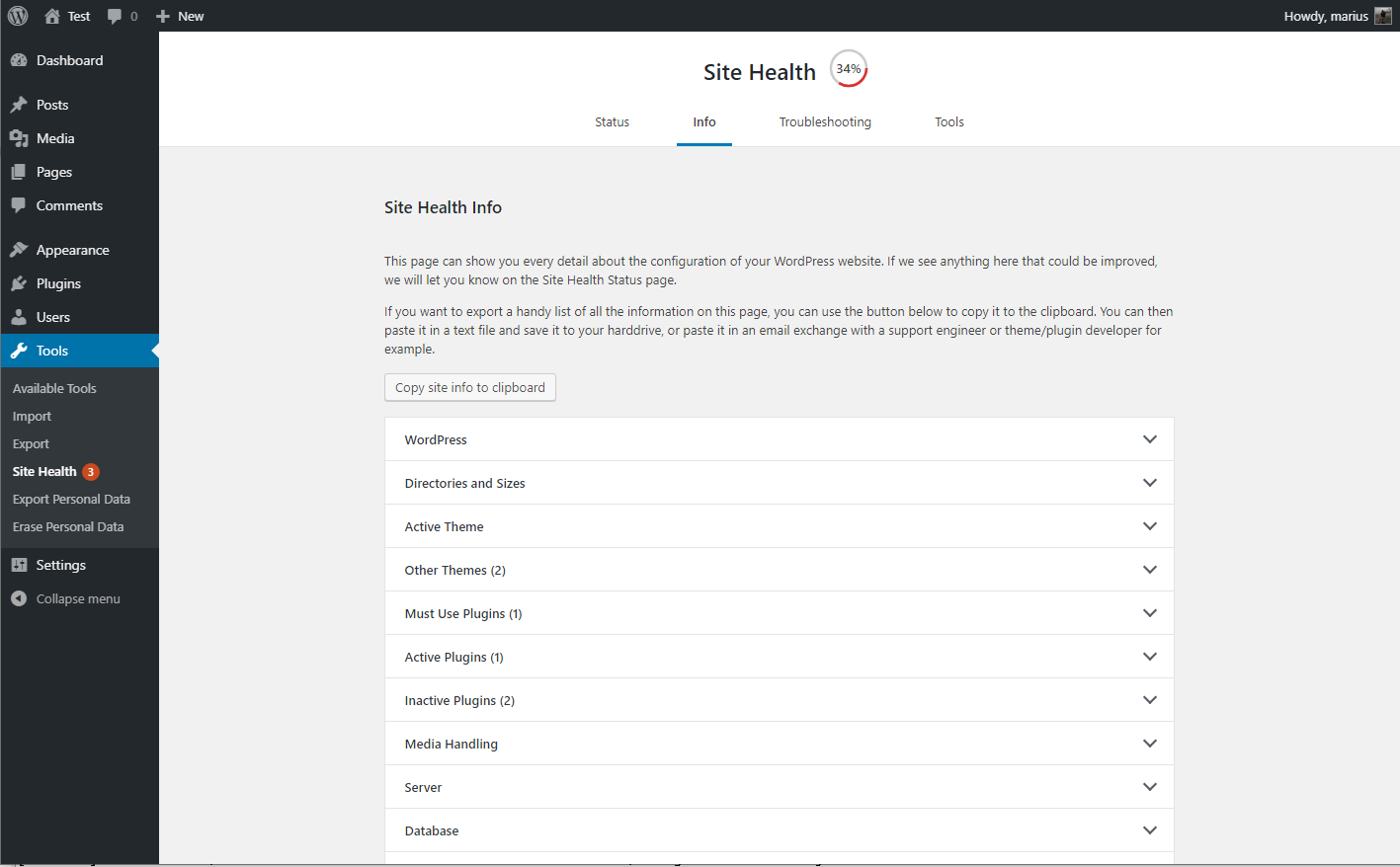
The debug information, with the copy and paste field expanded. 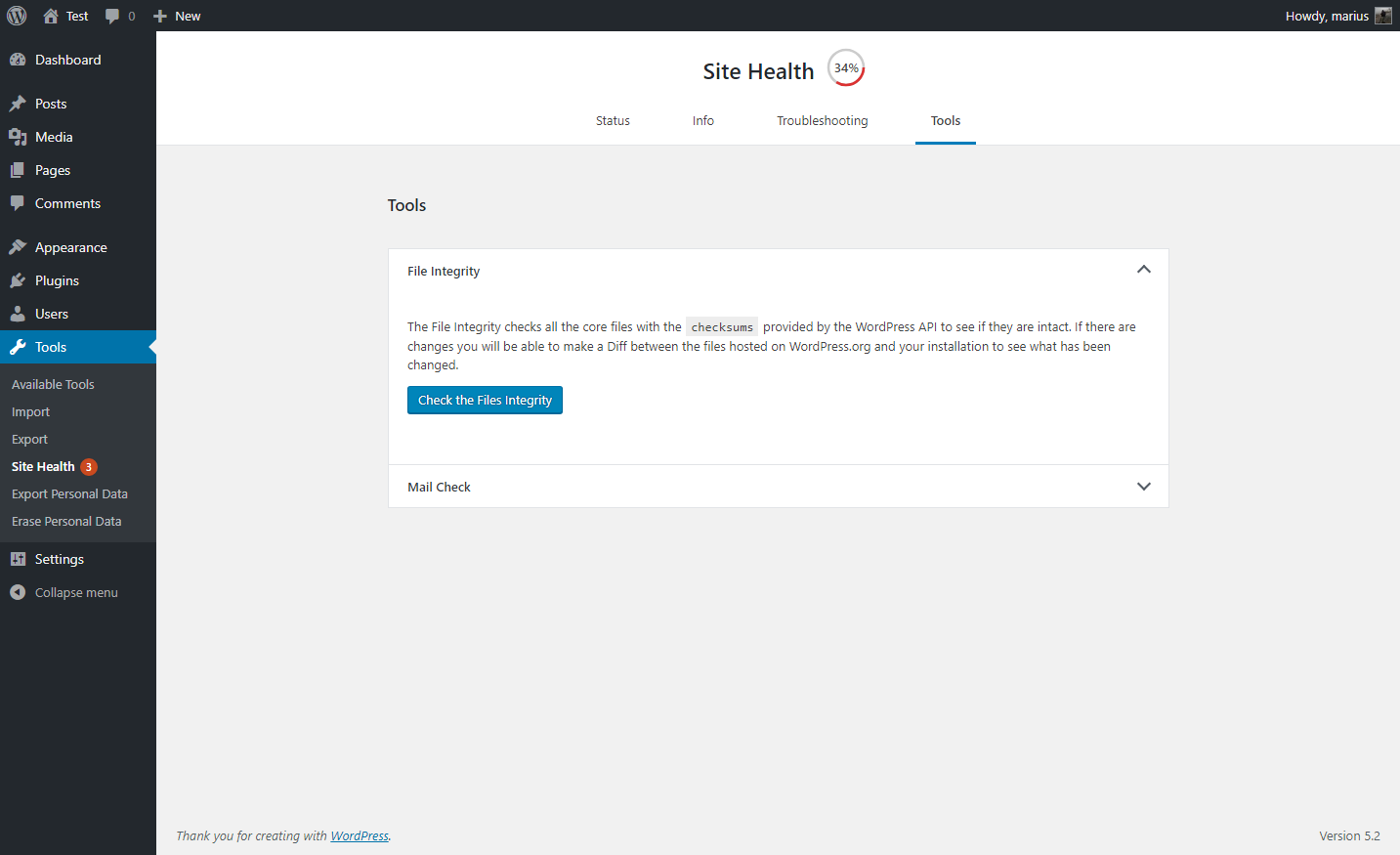
A selection of tools that can be ran on your site. 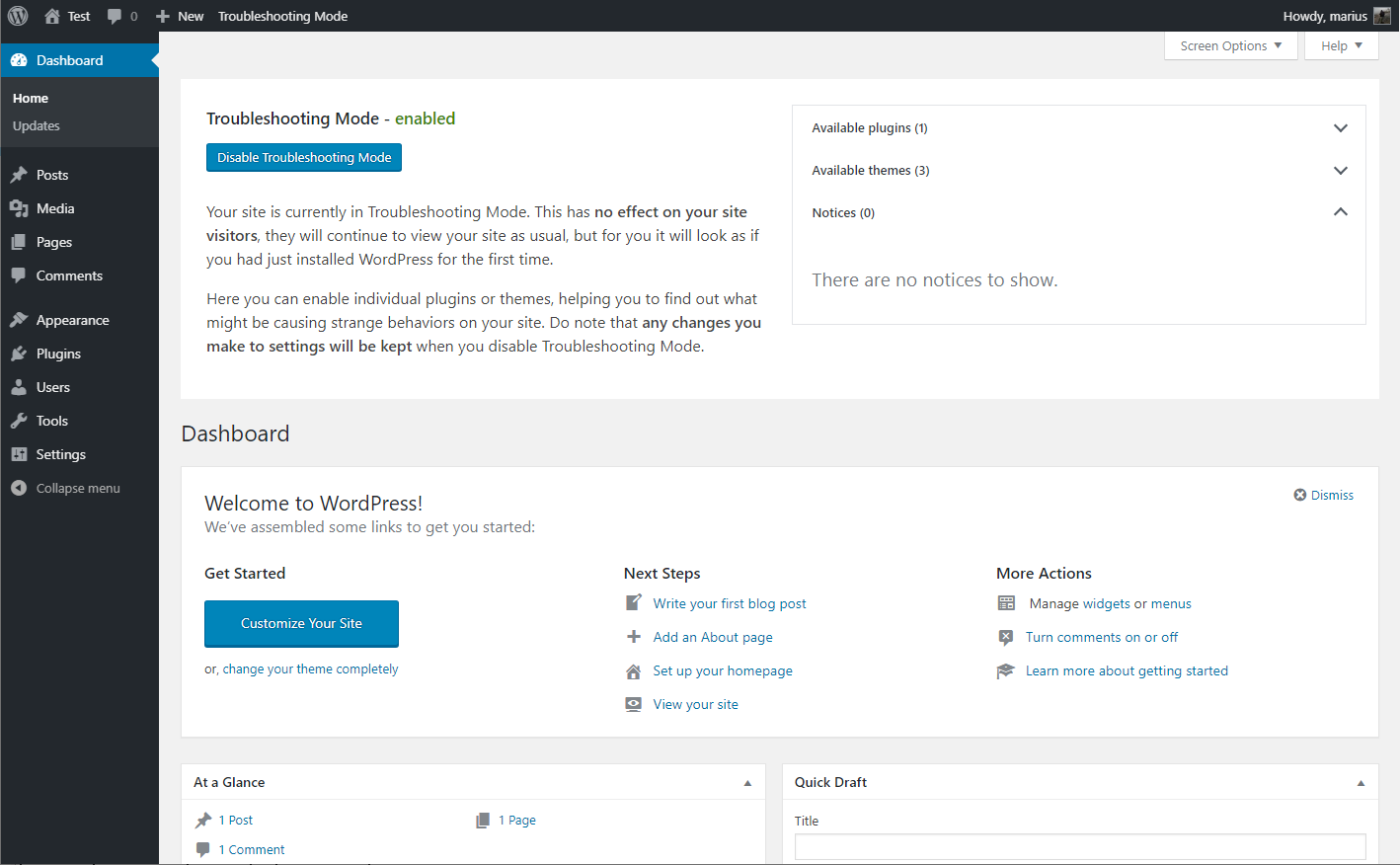
Troubleshooting mode enabled, showing your website Dashboard
Tagged
Where this page's numbers come from
Read from the WordPress.org plugin API on , when WordPress 7.1.4 was the current release. WordPress.org rounds active installs into buckets. These are the directory's figures, not my verdict, and I haven't tested this plugin.