
#501 by installs
WP Meta and Date Remover
Remove meta author and date information from posts and pages. Hide from Humans and Search engines.SEO friendly and most advance plugin.
- Installs
- 80,000+
- Rating
- 4.2 (71)
- Updated
- 5 months ago

Allows an admin (or capable user) to edit the author slug of a user, and change the author base.
| Last updated | May 27, 2025Not updated for over a year |
|---|---|
| Tested up to | WordPress 6.8.12Older than WordPress 7.1.4, the current release |
| Needs WordPress | 5.8 or newer |
| Needs PHP | 7.4 or newer |
| First published | November 27, 2009 |
| Support, last two months | No threads opened |
4.8 / 5 from 84 reviews
| 5 stars | 80 |
|---|---|
| 4 stars | 0 |
| 3 stars | 1 |
| 2 stars | 1 |
| 1 star | 2 |
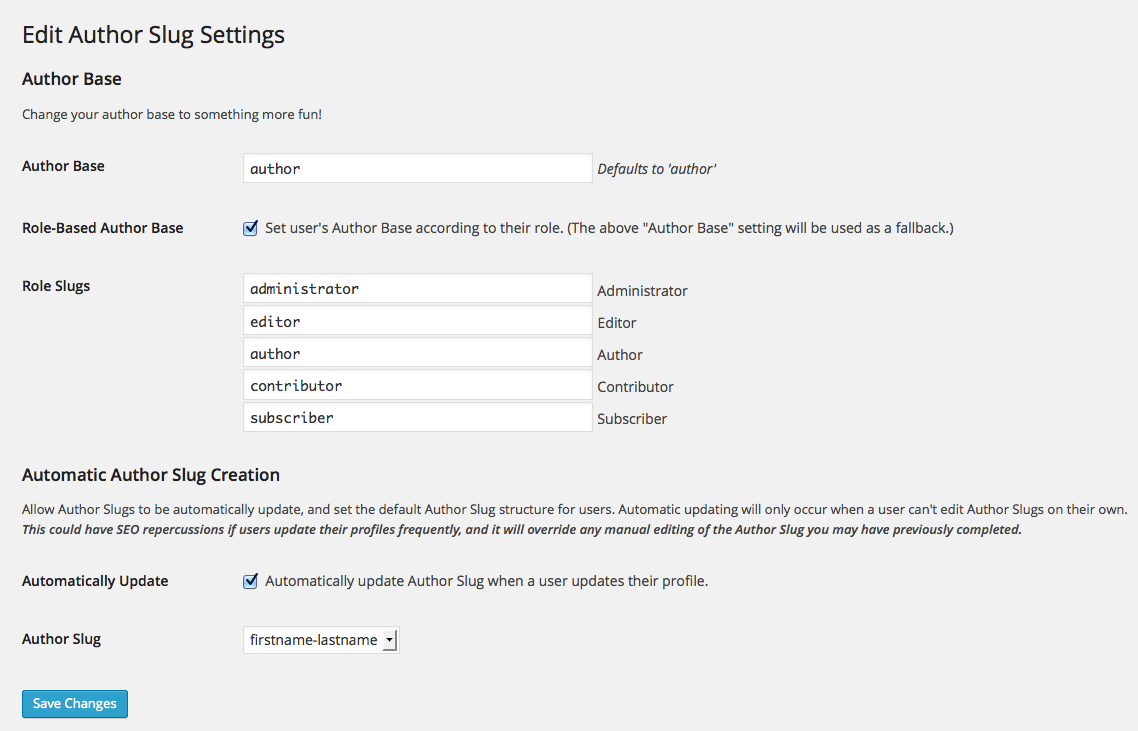
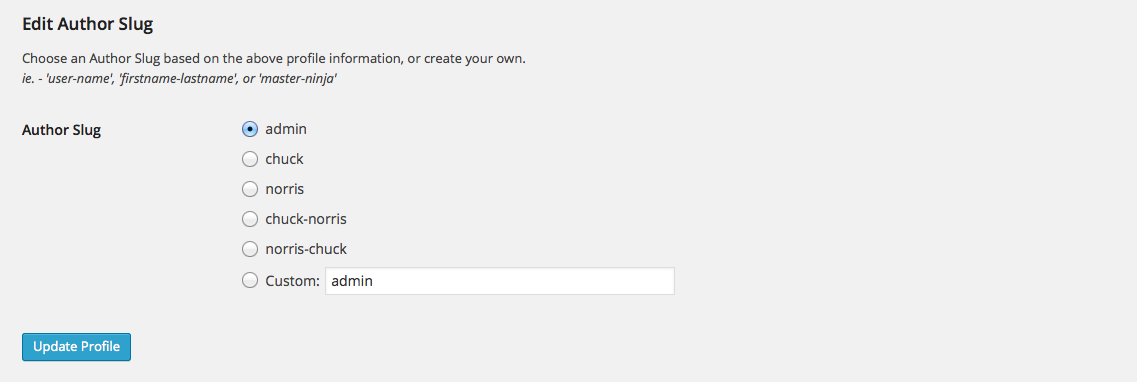
This plugin allows full control of your user permalinks, allowing you to change both the author base (the ‘/author/’ portion of the author URLs), and the author slug (defaults to the username of the author). You can set the author base globally, or you can set it to be user-specific based on a user’s role. You now have the power to craft the perfect URL structure for you Author pages.
WordPress default structure http://example.com/author/username/.
Edit Author Slug allows for http://example.com/ninja/master-ninja/.
Using a role-based author base would allow for http://example.com/ida/master-splinter/ (for an Administrator Role), or http://example.com/koga/leonardo/ (for a Subscriber Role).
Development of this plugin takes place on GitHub. Pull requests are always welcome!
Translations should be submitted to Translate WordPress.
The opening of the plugin's own description. The full text, installation notes and changelog are on its WordPress.org page.
On standard WordPress installs, it’s the final part of an author permalink.
e.g. – https://example.com/author/author-slug/
In relation to WordPress internals, the author slug is the same as the user_nicename field found in a WP_User object, or the users table in the database.
It depends.
Changing a user’s author slug is permanent, as this changes the user’s user_nicename field in the database.
If you’ve changed the author base, deactivating or deleting the plugin will revert your author base back to author.
Make sure you are an admin, or have been assigned the edit_users capability.
While I’ve made every attempt to prevent this, I may have missed a spot or two. First things first, go to Settings > Permalinks and click “Save Changes.” You don’t need to actually need to make any changes for this to work. Hopefully, this should kick your new Author Slug into gear.
#501 by installs
Remove meta author and date information from posts and pages. Hide from Humans and Search engines.SEO friendly and most advance plugin.
Read from the WordPress.org plugin API on , when WordPress 7.1.4 was the current release. WordPress.org rounds active installs into buckets. These are the directory's figures, not my verdict, and I haven't tested this plugin.