Disable Admin Notices – Hide Dashboard Notifications
Disable admin notices and hide dashboard notifications from plugins, themes and core. Hide all notices, selected ones, or show them in a single line.
- Active installs
- 100,000+
- #447 of 1,000
- Downloads, all time
- 1.6M
- 1,647,061
- Downloads, 30 days
- 39.5K
- 28.1K in the last 7
- Rating
- 4.7 / 5
- 367 reviews
- Last updated
- 3 days ago
- Oct 28, 2026
- Version
- 1.4.9
- 32 releases
Upkeep and compatibility
| Last updated | October 28, 2026Updated in the last 3 months |
|---|---|
| Tested up to | WordPress 7.1.4Covers WordPress 7.1.4, the current release |
| Needs WordPress | 5.6 or newer |
| Needs PHP | 7.4 or newer |
| First published | January 18, 2018 |
| Support, last two months | 1 of 1 threads resolved (100%) |
Reviews
4.7 / 5 from 367 reviews
| 5 stars | 330 |
|---|---|
| 4 stars | 10 |
| 3 stars | 2 |
| 2 stars | 0 |
| 1 star | 25 |
Downloads, last 30 days
What the author says it does
WordPress admin notices and dashboard notifications can quickly become overwhelming. Plugin alerts, theme warnings, update messages, and promotional notices often take up valuable space and disrupt your workflow. Disable Admin Notices gives you full control by letting you hide, remove, or disable admin notices across the entire dashboard.
You can hide all notifications, disable selected notices only, or move everything into a clean compact bar so messages no longer clutter your admin screen. The plugin also lets you disable plugin and theme update notifications, disable WordPress core update alerts, manage which items appear in the admin bar, and even block redirect URLs used by some plugins to show ads or promotional pages.
Whether you want a cleaner dashboard, fewer interruptions, or complete control over WordPress admin notifications, this plugin helps you keep your workspace organized and distraction-free.
Key Features
Disable Admin Notices
– Disable admin notices globally or hide selected notifications only
– Hide dashboard notices and show them in a single compact line
– Option to display all admin notifications in the WordPress admin bar
– Disable plugin update notifications
– Disable WordPress core update notifications
– Access all hidden notices anytime from the plugin dashboard
– Reset or restore hidden notices at any time
Disable Admin Bar Items
The opening of the plugin's own description. The full text, installation notes and changelog are on its WordPress.org page.
Questions the author answers
Will hiding admin notifications affect how plugins or themes work?
No. Hiding or disabling admin notices does not affect how plugins or themes function. It only removes or moves the visual notifications they display in the dashboard.
A notice I hid is gone, but I need it back. How do I restore hidden notices?
You can restore any hidden notice at any time. Go to Settings → Hide admin notices → Hidden Notices, where you’ll find a list of all notices you have hidden. From there, you can restore individual notices.
Will disabling admin notices hide important error messages?
No. The plugin only affects standard admin notices and update notifications. Actual error messages and critical WordPress warnings are still shown as normal.
Latest changelog entry
Disable Admin Notices plugin has been acquired by Themeisle 🎉
We’re happy to announce that Themeisle is now the new owner of Disable Admin Notices. This acquisition will help ensure the plugin’s continued development, better support, and exciting new updates in the future.
Your existing setup will continue to work as usual — no action is required on your part.
Screenshots
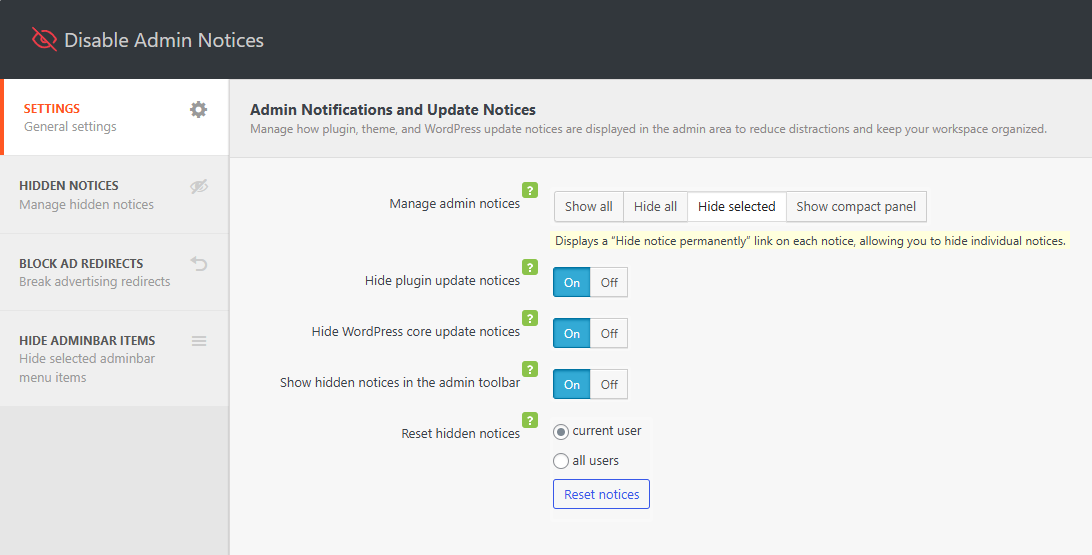
Plugin settings 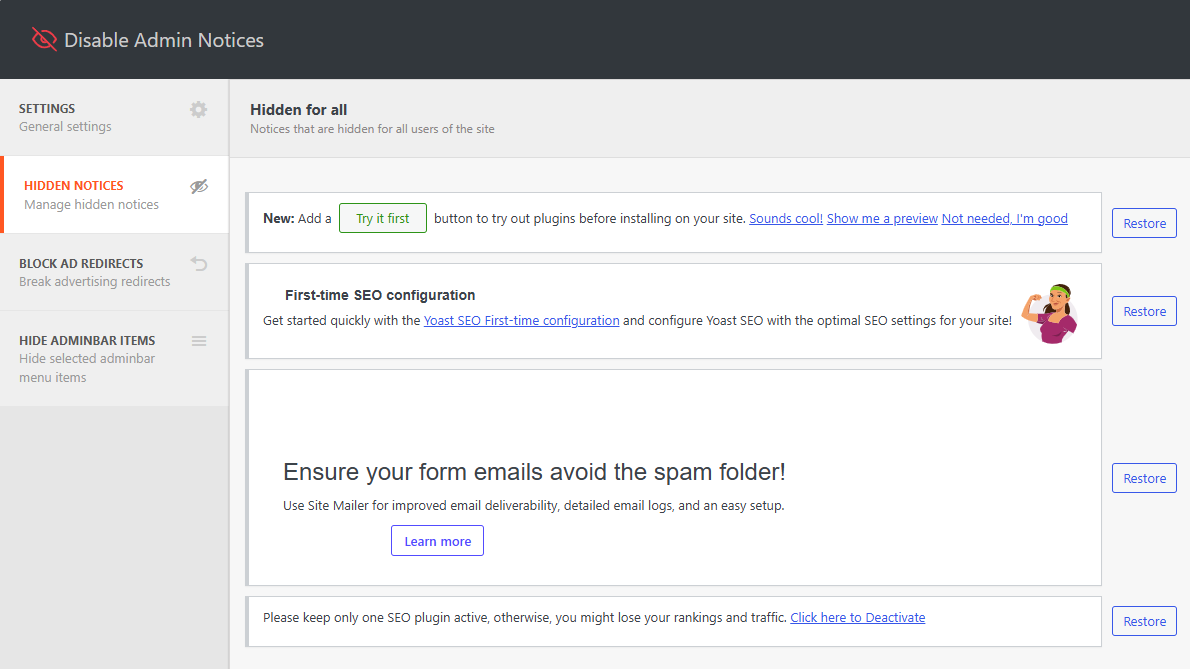
Access hidden admin notices 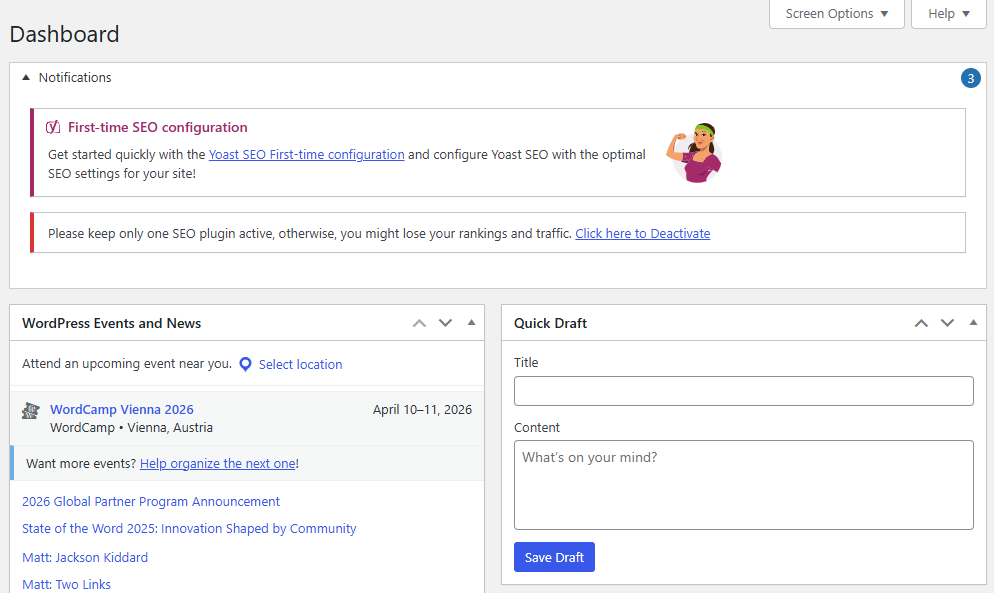
Group all admin notification in a compact panel 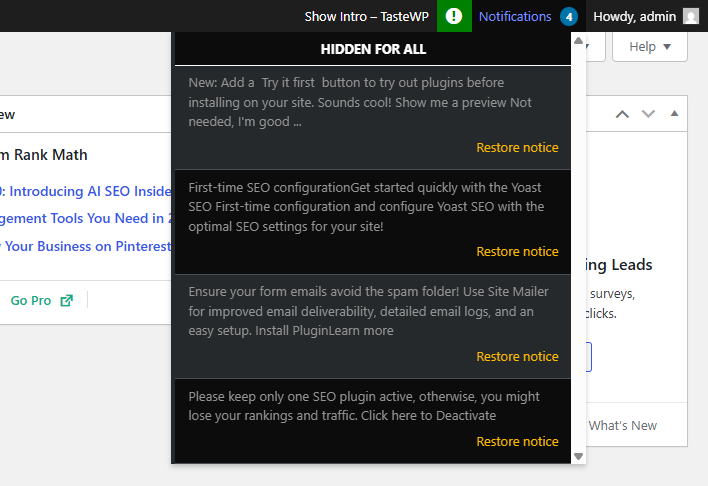
Display notification in the admin bar
Tagged
Where this page's numbers come from
Read from the WordPress.org plugin API on , when WordPress 7.1.4 was the current release. WordPress.org rounds active installs into buckets. These are the directory's figures, not my verdict, and I haven't tested this plugin.