
Custom Adobe Fonts (Typekit)
Custom Adobe Fonts allows you to extends the fonts supports from the Abobe Fonts.
- Active installs
- 60,000+
- #642 of 1,000
- Downloads, all time
- 814.3K
- 814,337
- Downloads, 30 days
- 38K
- 9.2K in the last 7
- Rating
- 4.4 / 5
- 8 reviews
- Last updated
- 11 days ago
- Oct 20, 2026
- Version
- 2.1.2
- 23 releases
Upkeep and compatibility
| Last updated | October 20, 2026Updated in the last 3 months |
|---|---|
| Tested up to | WordPress 7.1.4Covers WordPress 7.1.4, the current release |
| Needs WordPress | 4.4 or newer |
| Needs PHP | Not stated |
| First published | August 19, 2017 |
| Support, last two months | No threads opened |
Reviews
4.4 / 5 from 8 reviews
| 5 stars | 6 |
|---|---|
| 4 stars | 1 |
| 3 stars | 0 |
| 2 stars | 0 |
| 1 star | 1 |
Downloads, last 30 days
What the author says it does
This plugin helps you easily embed adobe fonts easily in your WordPress website.
Currently it works with:
- Astra Theme
- Beaver Builder Theme
- Beaver Builder Plugin
- Elementor Page Builder
How does it work?
- Install the plugin
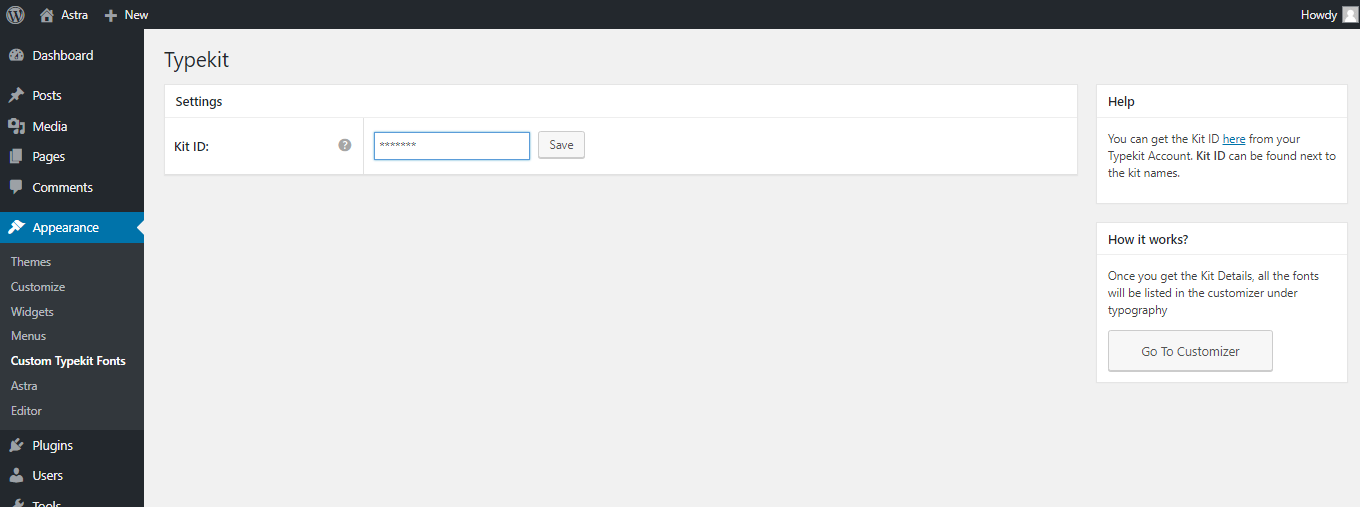
- Enter the Project ID that you create in adobe fonts.
- And done. You will be able to see the fonts added in the settings of Astra / Beaver Builder / Elementor. Please refer screenshots.
If you’re not using any of the supported plugins and theme, you can write the custom CSS to apply the fonts.
Try it out on a free dummy site
The opening of the plugin's own description. The full text, installation notes and changelog are on its WordPress.org page.
Latest changelog entry
- Improvement: Hardened the output escaping on the plugin’s settings page.
Screenshots
Get your Project ID 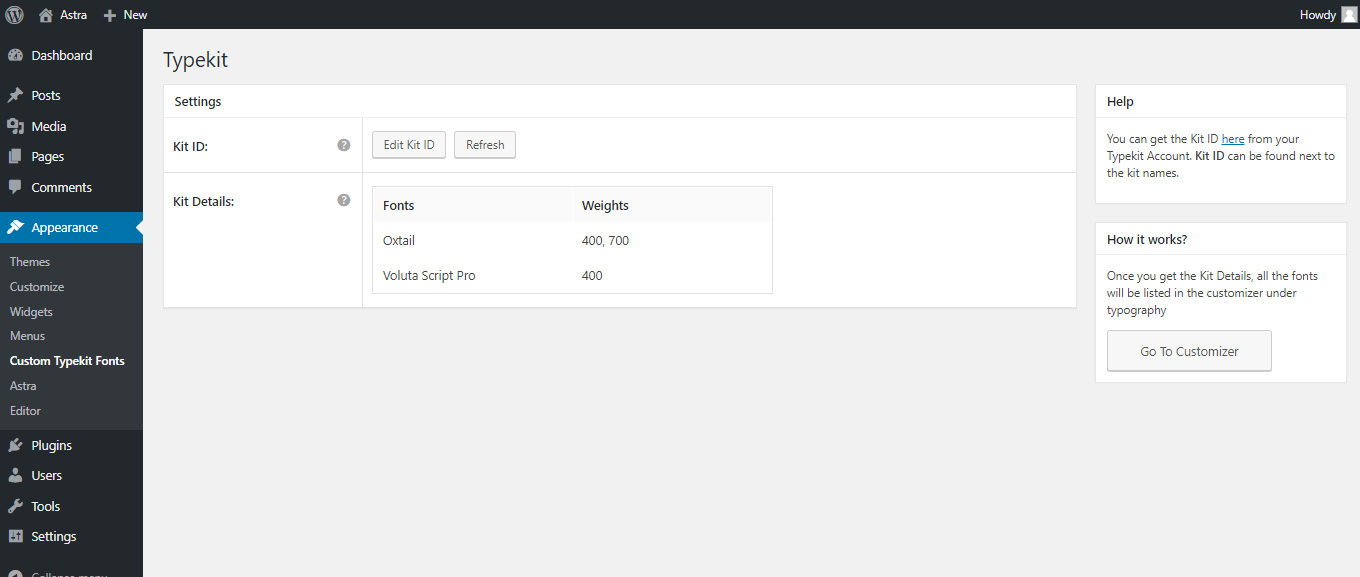
Enter your Project ID 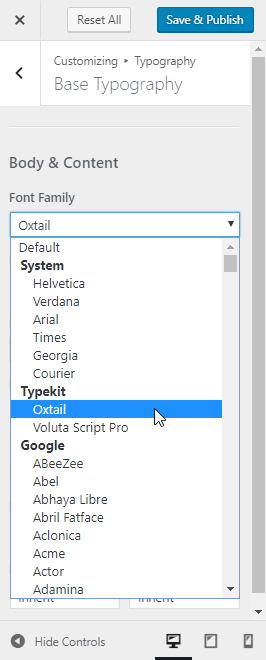
Get all published kit details from your Adobe ID 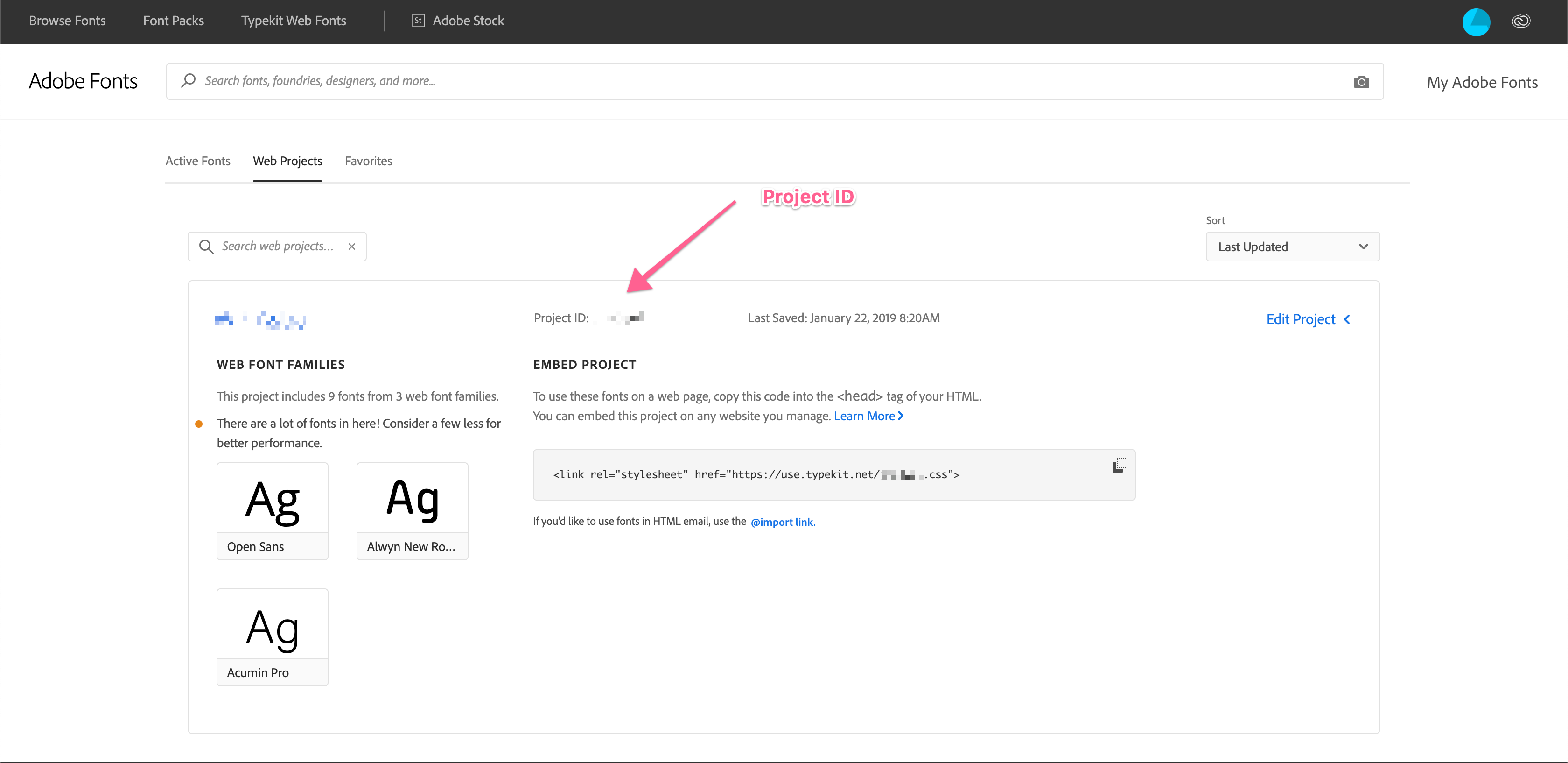
Select any Adobe font from Astra Theme Customizer
Tagged
Where this page's numbers come from
Read from the WordPress.org plugin API on , when WordPress 7.1.4 was the current release. WordPress.org rounds active installs into buckets. These are the directory's figures, not my verdict, and I haven't tested this plugin. The author takes donations at their donate page.