WP All Import – Import Add-On for ACF
Drag & drop to import any CSV, Excel, XML, or Google Sheets file into Advanced Custom Fields. Supports repeaters, flexible content, galleries, and …
- Active installs
- 50,000+
- #749 of 1,000
- Downloads, all time
- 397.4K
- 397,424
- Downloads, 30 days
- 48.3K
- 16.1K in the last 7
- Rating
- 5.0 / 5
- 6 reviews
- Last updated
- 11 days ago
- Oct 20, 2026
- Version
- 1.0.9
- 11 releases
Upkeep and compatibility
| Last updated | October 20, 2026Updated in the last 3 months |
|---|---|
| Tested up to | WordPress 7.1.4Covers WordPress 7.1.4, the current release |
| Needs WordPress | 5.0 or newer |
| Needs PHP | 7.4 or newer |
| First published | October 24, 2024 |
| Support, last two months | No threads opened |
Reviews
5.0 / 5 from 6 reviews
| 5 stars | 6 |
|---|---|
| 4 stars | 0 |
| 3 stars | 0 |
| 2 stars | 0 |
| 1 star | 0 |
Downloads, last 30 days
What the author says it does
The ACF Add-On for WP All Import makes it easy to bulk import data from any CSV or XML file into your ACF fields in WordPress in less than 10 minutes.
The left side shows all of the ACF fields that you can import to and the right side displays the data from your XML/CSV file.
Simply Drag & Drop the data from your XML or CSV into the ACF fields to import them.
The importer is so intuitive that it is almost like manually adding custom post type data in the Advanced Custom Fields plugin.
ACF CSV imports? ACF XML imports? They are EASY with WP All Import.
Why you should use the ACF Add-On for WP All Import
- Supports files in any format and structure. There are no requirements for the data in your file to be organized in a certain way. CSV imports into Advanced Custom Fields is easy, no matter the structure of your file.
- Import all basic fields such as text, numbers, range, email address URL, and password. Support for all other ACF fields in the Pro version of the ACF add-on.
- Imports files of practically unlimited size by automatically splitting them into chunks. WP All Import is limited solely by your server settings.
ACF WP All Import Pro Edition
The ACF Add-On for WP All Import is fully compatible with the free version of WP All Import.
However, the Pro version of WP All Import and the ACF add-on includes premium support and adds the following features:
The opening of the plugin's own description. The full text, installation notes and changelog are on its WordPress.org page.
Questions the author answers
WP All Import already includes custom field support, so what’s the point of using the ACF Add-On?
The Add-on supports all ACF fields including Repeaters, Flexible Content, Relationships, Dates, Image Galleries, Google Maps, and more, and displays them in a separate panel that is easy to navigate.
What add-ons do I need to import ACF fields?
To import Advanced Custom Fields (ACF), you must have the ACF Import Add-On active on your site, along with WP All Import. If you’re using the ACF Import Pro Add-On, you must have the free ACF Import Add-On and WP All Import Pro active along with it.
Latest changelog entry
- improvement: an import with ACF field groups selected reopens with the add-on section expanded
- bug fix: Gallery fields no longer re-import a non-image file that is already in the Media Library when searching the Media Library is enabled
Screenshots
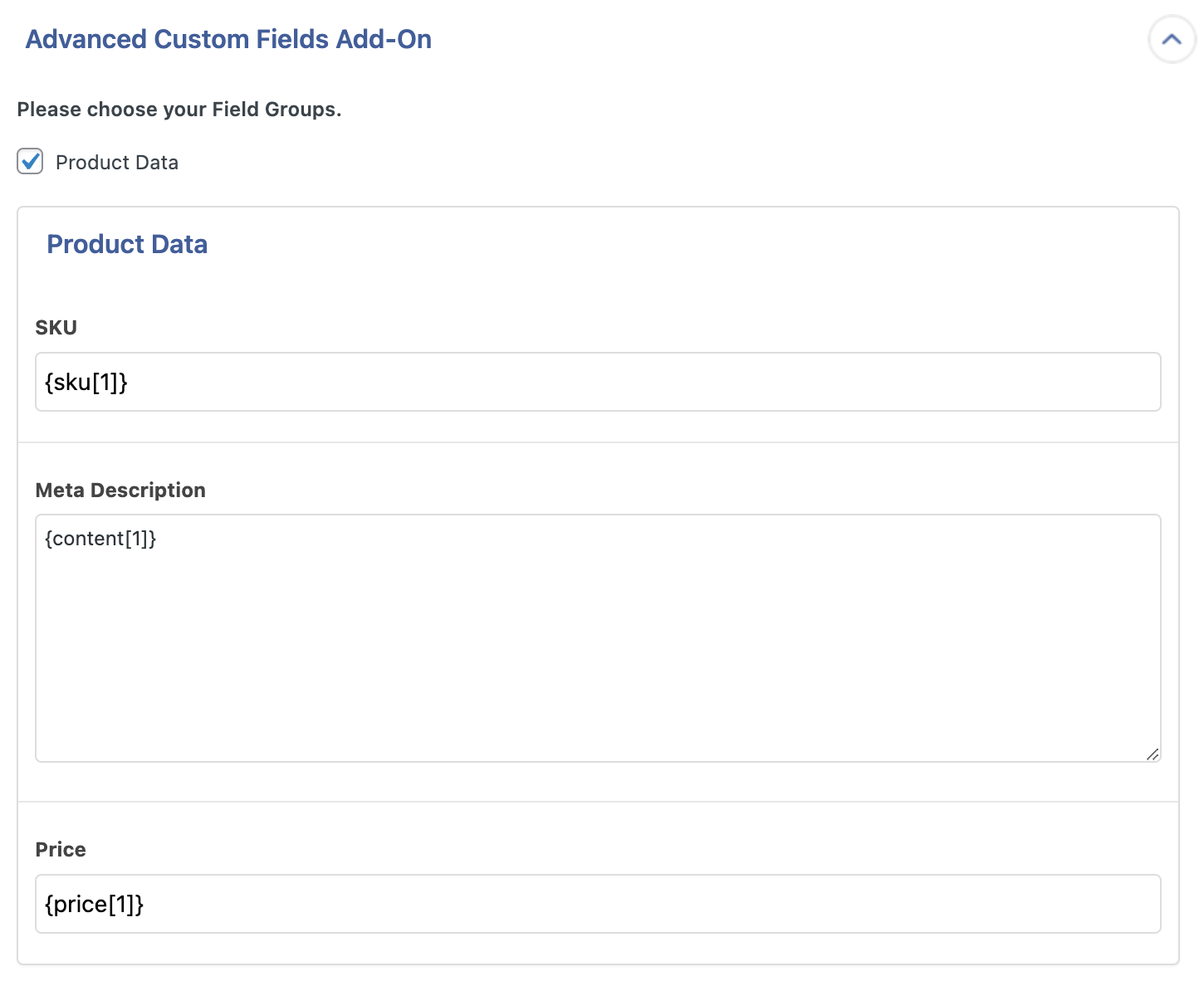
The ACF add-on.
Tagged
Where this page's numbers come from
Read from the WordPress.org plugin API on , when WordPress 7.1.4 was the current release. WordPress.org rounds active installs into buckets. These are the directory's figures, not my verdict, and I haven't tested this plugin.