
#217 by installs
Social Chat – Click To Chat App Button
WhatsApp Chat🔥 allows you to enhance customer engagement! Integrate "WhatsApp" or "WhatsApp Business" with a single click.
- Installs
- 200,000+
- Rating
- 4.9 (696)
- Updated
- 9 days ago

WhatsApp Chat🔥. Let's make your Web page visitors contact you through 'WhatsApp', 'WhatsApp Business'. Add matching Widget✅
Read from holithemes.comon
| Plan | Price | Billed | Renews at | Sites |
|---|---|---|---|---|
| Single | $18.00 | Not clear on the page | Not shown | 1 Website |
| Plus | $34.00 | Not clear on the page | Not shown | Up to 3 Websites |
| Unlimited | $69.00 | Not clear on the page | Not shown | Unlimited Websites |
P£AUDA$CADC$ILS₪JPY¥MXNMX$PHP₱RUB₽SGDS$TWDNT$ Annual Plans Lifetime Plans Single $18.00/year or $34.00 once, for lifetime [Buy Now](https://holithemes.com/shop/checkout?e
JPY¥MXNMX$PHP₱RUB₽SGDS$TWDNT$ Annual Plans Lifetime Plans Single $18.00/year or $34.00 once, for lifetime [Buy Now](https://holithemes.com/shop/checkout?edd action=add to
D) 1 Website 1 Year of updates 1 Year Support Most popular Plus $34.00/year or $69.00 once, for lifetime [Buy Now](https://holithemes.com/shop/checkout?edd action=add to
or $34.00 once, for lifetime
14-Day Money-Back Guarantee
A script read this page, and kept only what the page's text backs up. These are the vendor's list prices and its own words, not a deal and not my review. Prices change and can differ by country, so confirm on the vendor's page before you buy.
| Last updated | October 30, 2026Updated in the last 3 months |
|---|---|
| Tested up to | WordPress 7.1.4Covers WordPress 7.1.4, the current release |
| Needs WordPress | 6.6 or newer |
| Needs PHP | 5.6 or newer |
| First published | October 23, 2017 |
| Support, last two months | 2 of 2 threads resolved (100%) |
4.8 / 5 from 131 reviews
| 5 stars | 122 |
|---|---|
| 4 stars | 2 |
| 3 stars | 3 |
| 2 stars | 2 |
| 1 star | 2 |
WhatsApp Chat. Let’s make your Web page visitors contact you through “WhatsApp” or “WhatsApp Business” with a single click (WhatsApp Chat, Group).
Home | Demo | Documentation | Support | PRO
WhatsApp Chat
Add ‘WhatsApp’ or ‘WhatsApp Business’ Number and let your website visitors contact you with a single click.
📱 Mobile: Open the WhatsApp Mobile App for a seamless connection.
💻 Desktop: Direct visitors to the WhatsApp Desktop App or Web WhatsApp page (web.whatsapp.com)
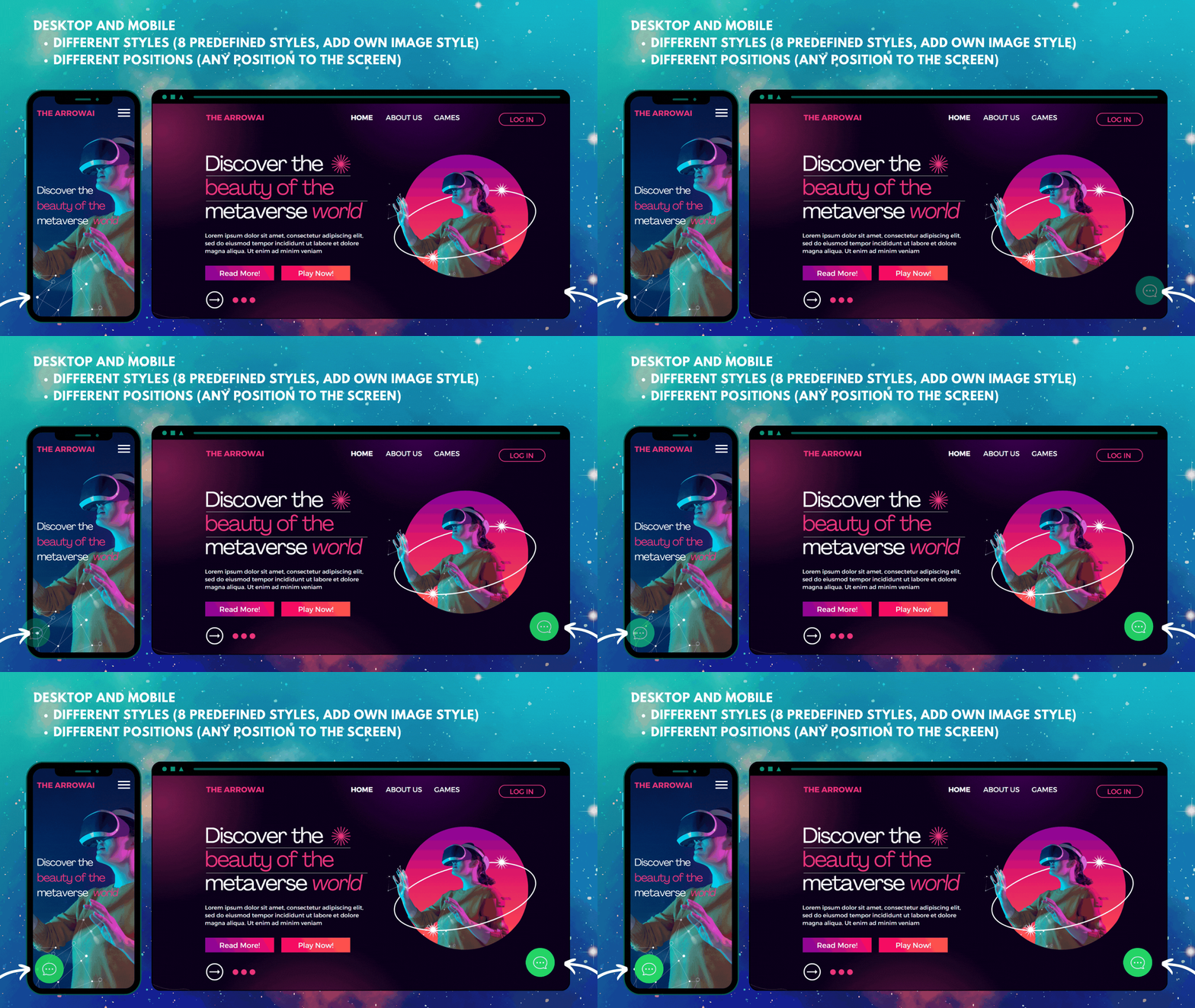
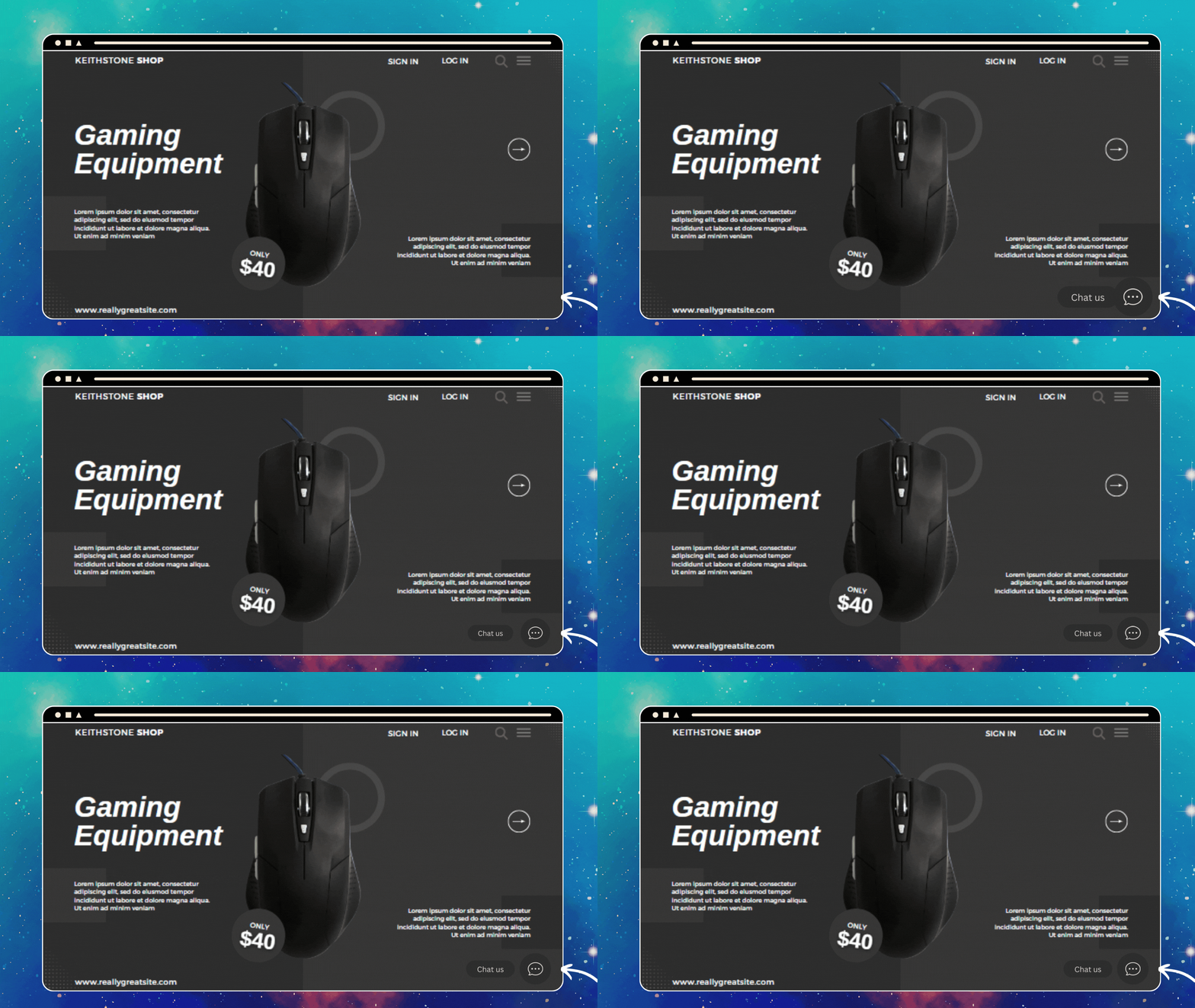
💎 Styles
Select a style that complements the design of your website.
list of Styles | 🎨Customize Styles
💡 Add Own Image
Instead of selecting a pre-defined style, add any Image/Animated-image/GIF.
🌈 Custom Element
Convert any Element as a WhatsApp Chat Element by adding
The custom design element will navigate to WhatsApp based on plugin settings (WhatsApp Number, pre-filled message, Analytics, …. ).
(e.g. menu item, button, image, link – just add ctc_chat as a class name)
Custom Element
🎉 Greetings Dialog
The opening of the plugin's own description. The full text, installation notes and changelog are on its WordPress.org page.
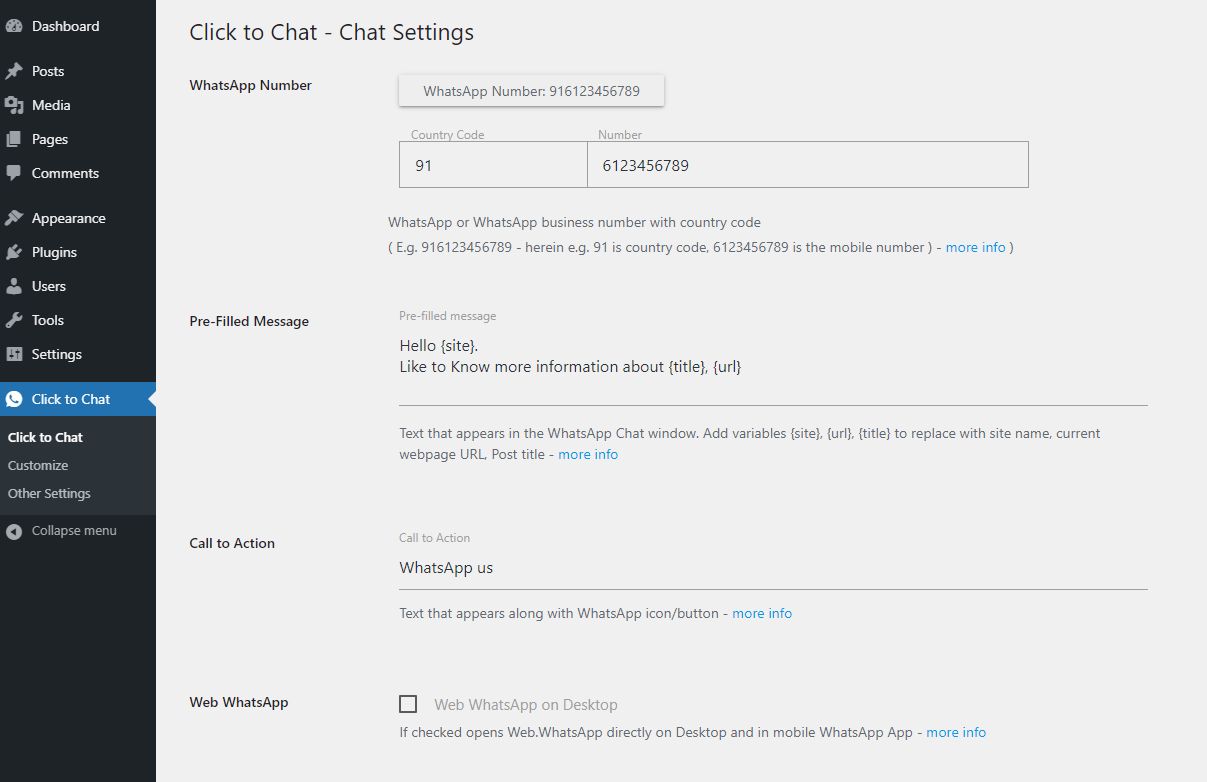
Enter the WhatsApp number with country code
E.g.
country code +1
number: 6123456789
** WhatsApp number: 16123456789 **
WhatsApp Number
Text that appears in the WhatsApp chat window when the user clicks on the WhatsApp.
Add variables to change values dynamically
{url} -> Web page URL {title} -> Page Title {site} -> Website Title
E.g.
Hi {site}!! I like to know more information about this {title}, {url}.
Variables for WooCommerce single product pages
Select Styles/widget that matches the design
* customize the style to match the website design.
* Add your own Image/GIF
* Custom Element/Design (convert any element to a WhatsApp Chat element)
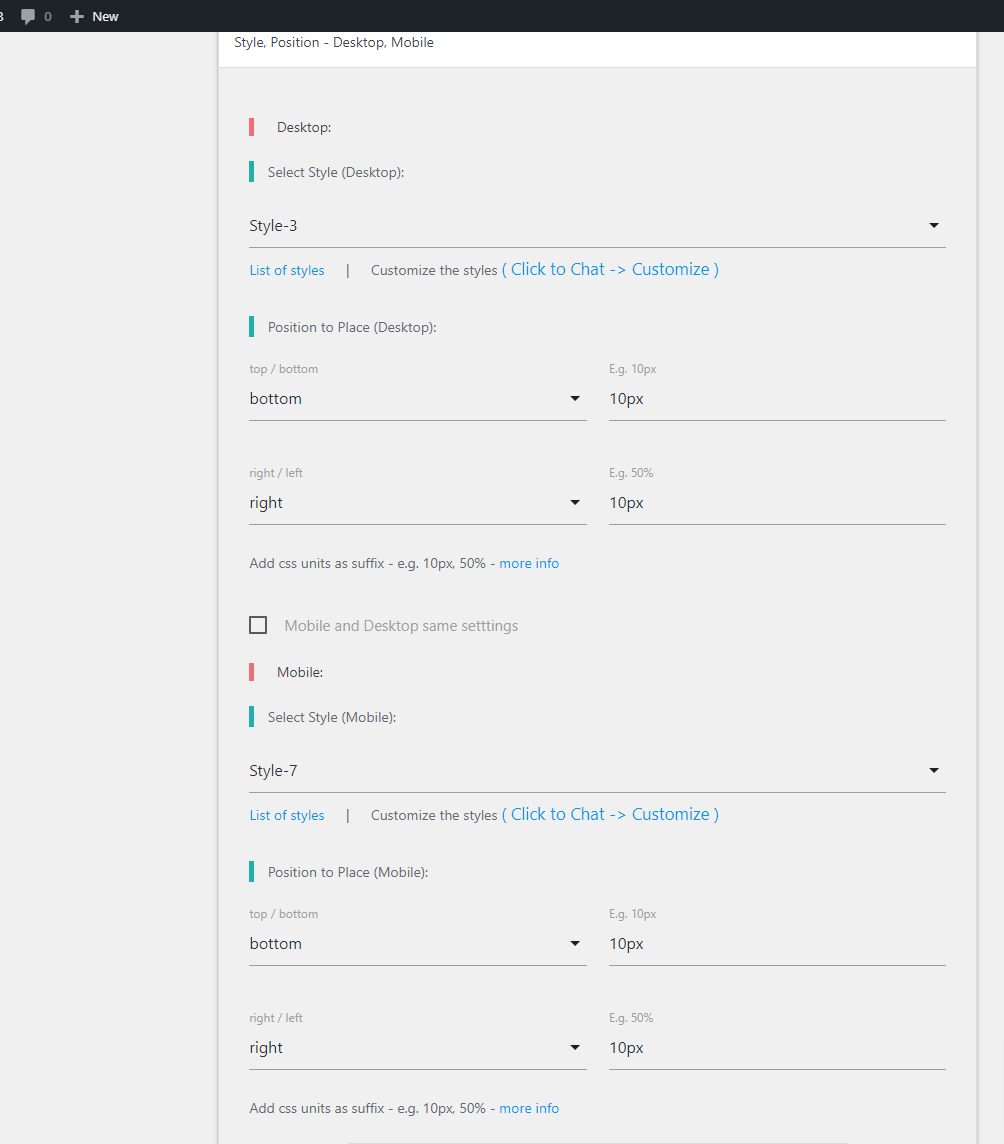
* Select differnt Styles for mobile, desktop to match the website design.
Add Styles at any position of the screen (not just fixed to selected positions).
Position to place settings
E.g.
bottom-right corner:
bottom: 10px
right: 10px
Center of the Screen (bottom-center)
bottom: 10px
right: 50%
Center of the Screen (left-center)
bottom: 50%
right: 10px
Plugin supports all CSS units as the suffix. (px, %, rem,…)
position to place
“Click to Chat” don’t collect any of the user data and don’t use cookies.
User consent before starting the chat.
Opt-in
Display based on country
#217 by installs
WhatsApp Chat🔥 allows you to enhance customer engagement! Integrate "WhatsApp" or "WhatsApp Business" with a single click.

#344 by installs
Integrate WhatsApp experience directly into your WordPress website.

#910 by installs
WhatsApp Chat Button - Display the beautiful WhatsApp Sticky Button on the WordPress frontend.

#924 by installs
Transform your WooCommerce store with seamless WhatsApp integration. Enable customers to order products instantly via WhatsApp with enhanced features.

#89 by installs
The most installed WordPress plugin for WhatsApp: a customizable floating button that turns your visitors into chats, leads and sales.

WhatsApp chat, Facebook Messenger, Telegram, TikTok, Instagram, Email, Line, WeChat Phone call, SMS, 20+ live chat icons & WhatsApp chat pop up 💬
Read from the WordPress.org plugin API on , when WordPress 7.1.4 was the current release. WordPress.org rounds active installs into buckets. These are the directory's figures, not my verdict, and I haven't tested this plugin. The author takes donations at their donate page.