
#640 by installs
Easy Theme and Plugin Upgrades
Easily upgrade your themes and plugins using zip files without removing the theme or plugin first.
- Installs
- 60,000+
- Rating
- 4.7 (117)
- Updated
- 5 years ago

When using the Customizer is not enough - Create a child theme from your installed themes and customize styles, templates, functions and more.
| Last updated | June 10, 2025Not updated for over a year |
|---|---|
| Tested up to | WordPress 6.8.12Older than WordPress 7.1.4, the current release |
| Needs WordPress | 4.0 or newer |
| Needs PHP | 7.4 or newer |
| First published | November 29, 2013 |
| Support, last two months | 0 of 1 threads resolved (0%) |
4.7 / 5 from 280 reviews
| 5 stars | 250 |
|---|---|
| 4 stars | 9 |
| 3 stars | 2 |
| 2 stars | 2 |
| 1 star | 17 |
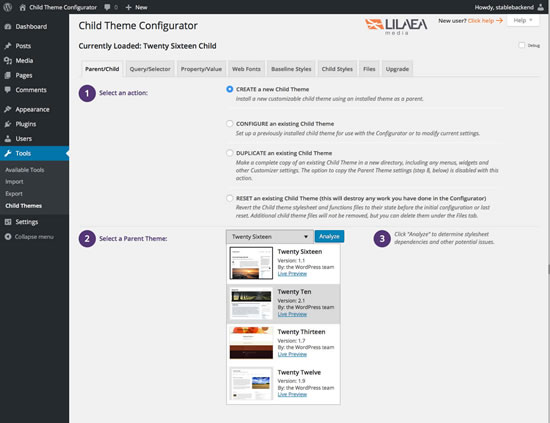
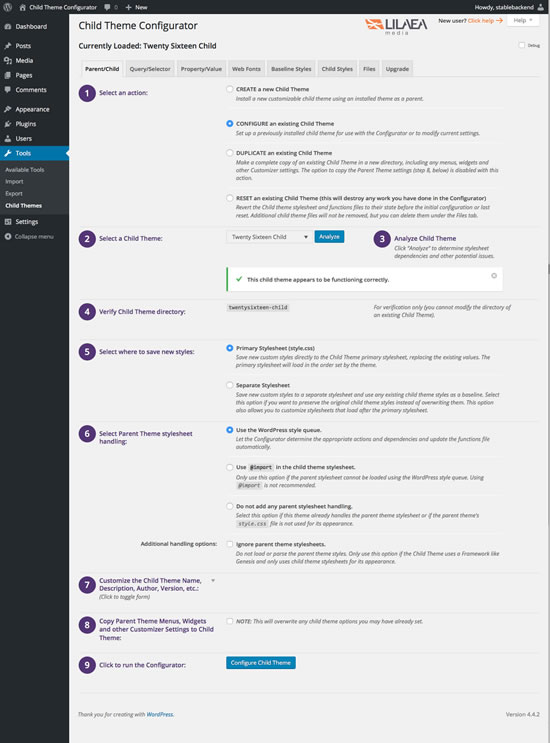
Child Theme Configurator is a fast and easy to use utility that allows you to analyze any theme for common problems, create a child theme and customize it beyond the options of the Customizer. Designed for WordPress users who want to be able to customize child theme stylesheets directly, Child Theme Configurator lets you easily identify and override the exact CSS attributes you want to customize. The Analyzer scans the rendered theme and automatically configures your child theme. It correctly enqueues theme and font stylesheets for optimum performance and handles vendor-specific syntax, giving you unlimited control over the Child Theme look and feel while leaving your Parent Theme untouched. Learn more about how to create a child theme.
Take Control of Your Child Themes
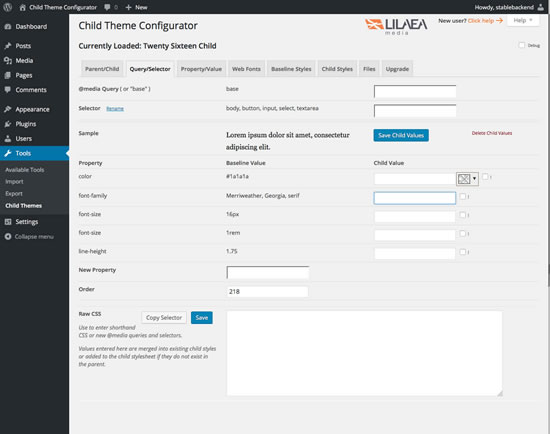
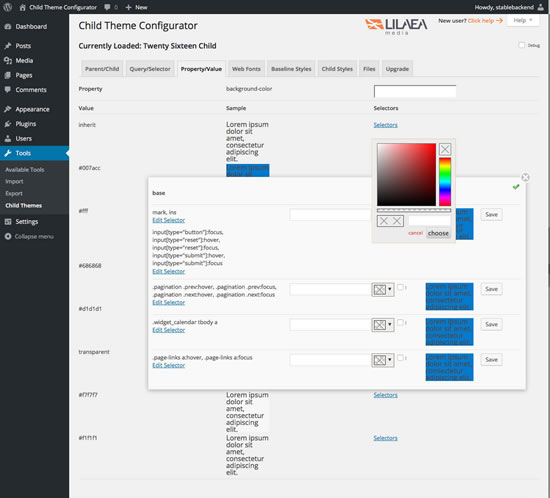
Child Theme Configurator parses and indexes your stylesheets so that every CSS media query, selector, property and value are at your fingertips. Second, it shows you how each customization you make will look before you commit it to the child theme. Finally, it saves your work so that you can customize styles in your child themes without the risk of losing your edits.
You can create any number of child themes from your existing Parent Themes. Child Theme Configurator lets you choose from your installed themes (even existing child themes) and save the results in your Themes directory.
The opening of the plugin's own description. The full text, installation notes and changelog are on its WordPress.org page.
Follow these steps: http://www.childthemeplugin.com/how-to-use/#child_from_modified_parent
This is a misconfiguration created by the Bluehost auto-installer. http://www.childthemeplugin.com/child-theme-faqs/#constants” class=”scroll-to”>How to fix.
There are videos under the “Help” tab at the top right of the page. You can also view them at http://www.childthemeplugin.com/tutorial-videos
No. This is the point of using child themes. Changes to the parent theme are automatically inherited by the child theme.
A child theme is not a “copy” of the parent theme. It is a special feature of WordPress that let’s you override specific styles and functions leaving the rest of the theme intact.
No. Child Theme Configurator is designed to work independently of themes and plugins. Just remember that if you re-install, you must rebuild the configuration data using the Parent/Child tab.
Arbitrary comments are not supported. Providing a high level of flexibility for previewing and modifying custom styles requires sophisticated parsing and data structures. Maintaining comments that are bound to any particular element in the stylesheet is prohibitively expensive compared to the value it would add.
#640 by installs
Easily upgrade your themes and plugins using zip files without removing the theme or plugin first.

#665 by installs
Easily add a Favicon to your site and the WordPress admin pages. Complete with upload functionality. Supports all three Favicon types (ico,png,gif).

#757 by installs
Theme Editor allows you to edit theme files, create folder, upload files and remove any file and folder in themes and plugins.

#894 by installs
This plugin is designed to inter-operate with our Mantra, Parabola, Tempera, Nirvana themes to enable their settings pages.
Read from the WordPress.org plugin API on , when WordPress 7.1.4 was the current release. WordPress.org rounds active installs into buckets. These are the directory's figures, not my verdict, and I haven't tested this plugin. The author takes donations at their donate page.