
#297 by installs
ACF Content Analysis for Yoast SEO
WordPress plugin that adds the content of all ACF fields to the Yoast SEO score analysis.
- Installs
- 100,000+
- Rating
- 4.1 (35)
- Updated
- 25 days ago

A Table Field Add-on for the Advanced Custom Fields and Secure Custom Fields Plugin.
| Last updated | October 27, 2026Updated in the last 3 months |
|---|---|
| Tested up to | WordPress 7.1.4Covers WordPress 7.1.4, the current release |
| Needs WordPress | 5.3 or newer |
| Needs PHP | 7.4 or newer |
| First published | December 29, 2014 |
| Support, last two months | 3 of 3 threads resolved (100%) |
4.9 / 5 from 60 reviews
| 5 stars | 56 |
|---|---|
| 4 stars | 3 |
| 3 stars | 0 |
| 2 stars | 0 |
| 1 star | 1 |
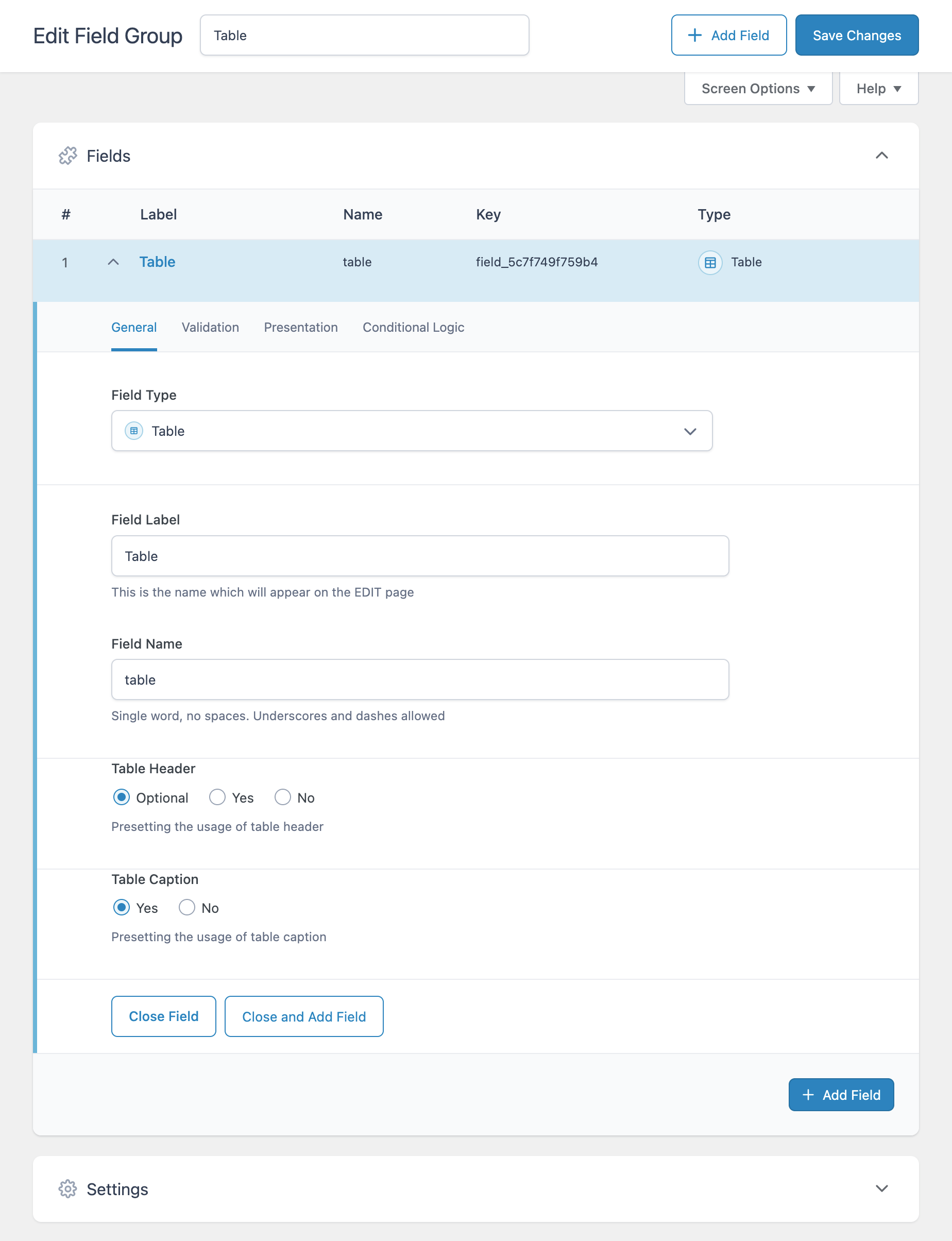
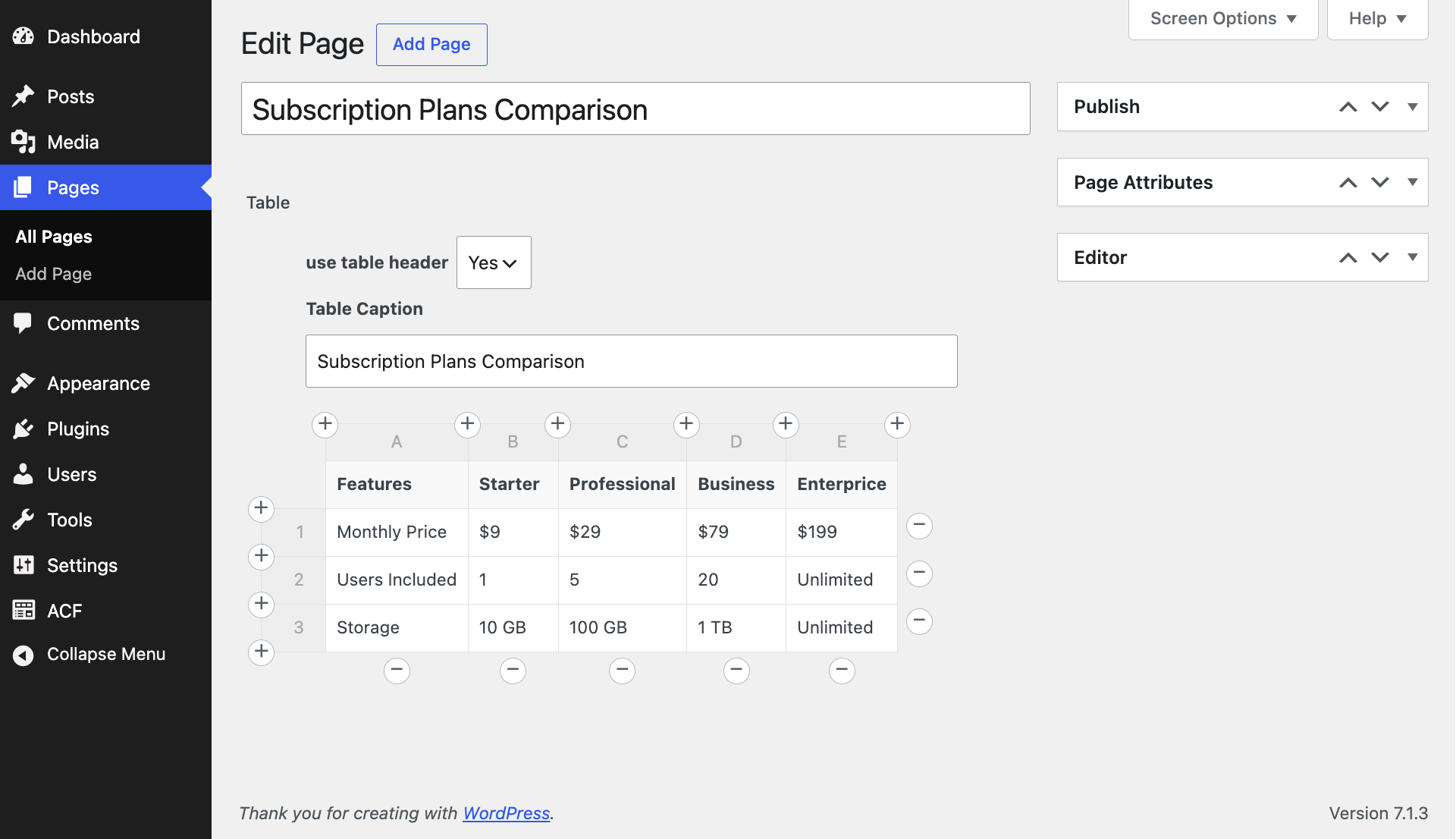
The Table Field plugin is an Add-on and enhances the functionality of the Advanced Custom Fields (ACF) plugin and the Secure Custom Fields plugin with easy-to-edit tables.
This plugin requires the Advanced Custom Fields plugin or the Secure Custom Fields plugin!
The table field works also with the ACF repeater and flexible field types and supports the ACF Blocks for Gutenberg.
Features
Translations
Note: Please contribute your language to the plugin to make it even more useful.
PRO
There is also a Table Field Pro Add-on for the Advanced Custom Fields and Secure Custom Fields plugins.
The Pro plugin offers a highly configurable and flexible table interface.
The opening of the plugin's own description. The full text, installation notes and changelog are on its WordPress.org page.
To render the table fields data as an html table in one of your template files (page.php, single.php) you can start with the following basic code example:
$table = get_field( 'your_table_field_name' );
if ( ! empty ( $table ) ) {
echo '<table>';
if ( ! empty( $table['caption'] ) ) {
echo '<caption>' . $table['caption'] . '</caption>'; }
if ( ! empty( $table['header'] ) ) {
echo '<thead>';
echo '<tr>';
If the table has only one empty cell, then get_field() returns FALSE. get_field() returns NULL when a field is not stored in the database. That happens when a page is copied but not their fields content. You can check both with empty()…
$table = get_field( 'your_table_field_name' );
if ( ! empty( $table ) ) { // $table is not FALSE and not NULL. // Field exists in database and has content. }
This is about displaying line breaks in the admin tables and getting line breaks as <br> when outputting the tables HTML.
Converting Line Breaks for HTML Output
To convert line breaks to <br> in tables HTML output the PHP function nl2br() can be used:
For line breaks in table header cells replace…
echo $th['c'];
with…
echo nl2br( $th['c'] );
For line breaks in table body cells replace…
echo $td['c'];
with…
In general, its up to the page builder plugins to support ACF field types. But because the table field is not a native ACF field, the support for this field may never happen in page builders.
For now the way to go is using a shortcode. Elementor provides for example a shortcode widget. Before you can use a shortcode to display a table fields table, you have to setup a shortcode in functions.php.
You can use the ACF PHP function update_field() to change a tables data.
Notice
Since version 1.3.1 of the table plugin, the storing format of the table data changes from JSON string to serialized array for new or updated tables. The issue with JSON is because of third party plugins that do not properly applying wp_slash() to a post_meta value before updating with update_post_metadata(). This can break JSON strings because update_post_metadata() removes backslashes by default.
#297 by installs
WordPress plugin that adds the content of all ACF fields to the Yoast SEO score analysis.

#485 by installs
Adds a new 'Font Awesome Icon' field to the popular Advanced Custom Fields plugin.

#899 by installs
Alternative CSV Importer plugin. Simple and powerful, best for geeks.

#28 by installs
ACF helps customize WordPress with powerful, professional and intuitive fields. Proudly powering over 2 million sites, WordPress developers love ACF.

#96 by installs
Embed beautiful, accessible, and interactive tables into your WordPress website’s posts and pages, without having to write code!

#420 by installs
Secure Custom Fields boosts content management with custom fields and options. It deactivates Advanced Custom Fields to prevent duplicate code errors.
Read from the WordPress.org plugin API on , when WordPress 7.1.4 was the current release. WordPress.org rounds active installs into buckets. These are the directory's figures, not my verdict, and I haven't tested this plugin.