Type to search.

#503 by installs

a3 Lazy Load

by Steve TrumanVersion 2.7.9

Use a3 Lazy Load for images, videos, iframes that are not lazy loaded by WordPress core. Instantly improve your sites load time and dramatically impro …

Active installs
80,000+
#503 of 1,000
Downloads, all time
4.4M
4,351,092
Downloads, 30 days
11.3K
2.8K in the last 7
Rating
4.3 / 5
148 reviews
Last updated
4 months ago
Jul 8, 2026
Version
2.7.9
65 releases

Upkeep and compatibility

Last updatedJuly 8, 2026Updated in the last year
Tested up toWordPress 7.0.8Older than WordPress 7.1.4, the current release
Needs WordPress6.0 or newer
Needs PHPNot stated
First publishedDecember 20, 2014
Support, last two months0 of 1 threads resolved (0%)

Reviews

4.3 / 5 from 148 reviews

Reviews by star rating
5 stars116
4 stars5
3 stars4
2 stars4
1 star19

Downloads, last 30 days

Low 178 a dayHigh 886 a day

What the author says it does

a3 Lazy Load is a Mobile Oriented, very simple to use plugin that will speed up sites page load speed. The more content heavy your site the better the plugin will perform and the more you will see the improvements in performance. See this demo of a page with 1,000 images (yes 1,000 images) to load.

a3 Lazy Load is inspired by and powered by the ressio Lazy-Load-xt JavaScript.

100% COMPATABLE WITH WORDPRESS 6.0

WordPress 5.5 introduced lazy loading for all images uploaded to a sites media library and 5.7 introduces Core lazy load for iframes and 5.9 contained performance enhancements. a3 Lazy Load Image options work side-by-side with these, but then enhances it by lazy loading all the images loaded from outside of the media library, or on older browsers that do not support the new WP attribute and any iframes or videos that are not lazy loaded by WordPress.

DISABLE WORDPRESS LAZY LOAD

The plugin includes an option to completely disable WordPress Core Lazy Load if that is what you want to do.

IMAGE LAZY LOAD

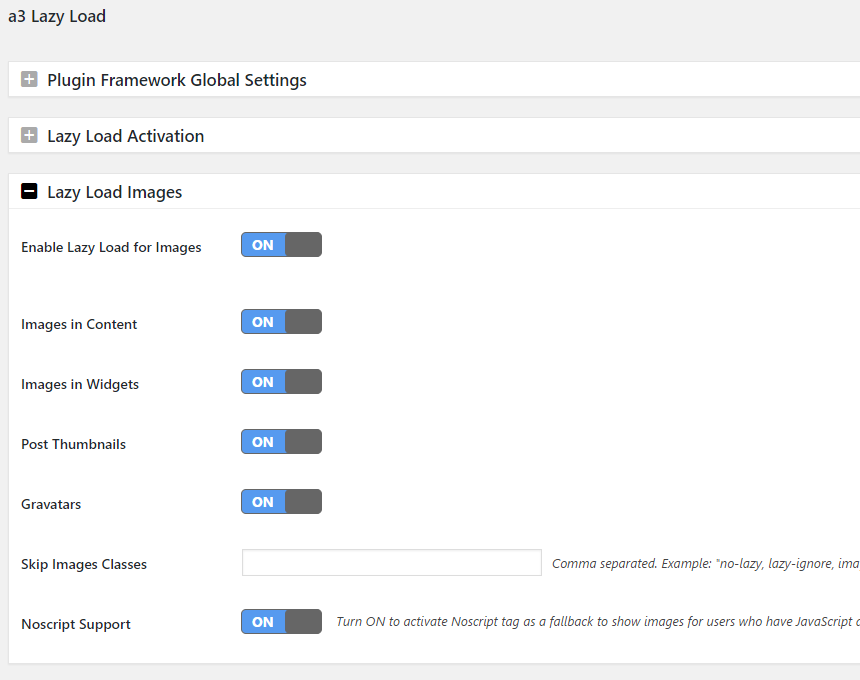
For more flexibility when ON you can choose to ON | OFF lazy load all images that are not loaded from the WordPress media Library in:

  • Post, Pages and Custom Post Types (All Content areas)
  • Widgets (Sidebar, header and footer)
  • Apply to post thumbnails
  • Apply to gravatars

HORIZONTAL SCROLL

The opening of the plugin's own description. The full text, installation notes and changelog are on its WordPress.org page.

Questions the author answers

How do I exclude individual objects from Lazy Load?

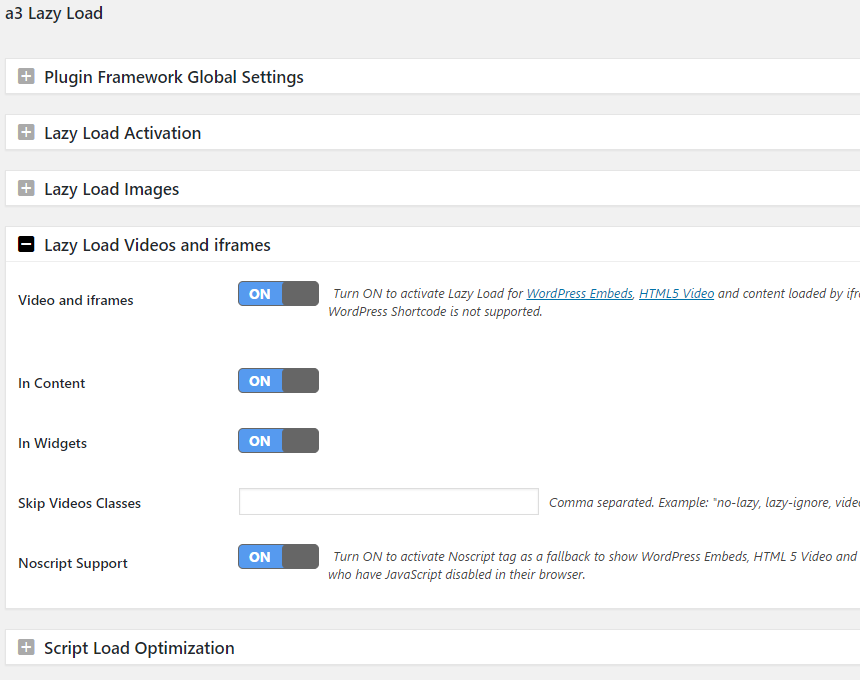
Images, Videos / iframes can be excluded from Lazy Load by existing classnames or if none exist exclusions can be done manually via exclusion skip-lazy classname or data-skip-lazy attribute. Examples

Exclude by classname <img class="skip-lazy"> , <video class="skip-lazy">

Exclude by attribute <img data-skip-lazy> , <video data-skip-lazy>

Why are some images, videos, objects not Lazy Loaded?

a3 Lazy Load can only be applied to objects that are added using core WordPress functions. If your theme or a plugin developer adds objects such as images or videos via a custom written function, a3 lazy Load cannot know what that custom function is and hence cannot Lazy Load the object.

Filter tags to apply lazy load

Apply lazy load for images in content.

a3_lazy_load_images

Example:

apply_filters( ‘a3_lazy_load_images’, $your_content, null );

Apply lazy load for videos and iframe from content.

a3_lazy_load_videos

Example:

apply_filters( ‘a3_lazy_load_videos’, $your_content, null );

Apply lazy load for all images, videos and iframe from content

a3_lazy_load_html

Example:

Filter Tags to Exclude by Theme Class name

Filter tags to add to class name of theme to exclude lazy load on images or videos.

a3_lazy_load_skip_images_classes

a3_lazy_load_skip_videos_classes

Latest changelog entry

2.7.9 – 2026/06/29

  • This release contains an important security fix – please update right away.
  • Security – Hardened the admin settings AJAX handler and tightened outbound API requests.

Screenshots

From WordPress.org.

Tagged

Plugins that share its tags

Where this page's numbers come from

Read from the WordPress.org plugin API on , when WordPress 7.1.4 was the current release. WordPress.org rounds active installs into buckets. These are the directory's figures, not my verdict, and I haven't tested this plugin.